
Natural language to QGIS
Manage layers, run spatial analysis, style results, export data, and build layouts through QGIS tools and PyQGIS.
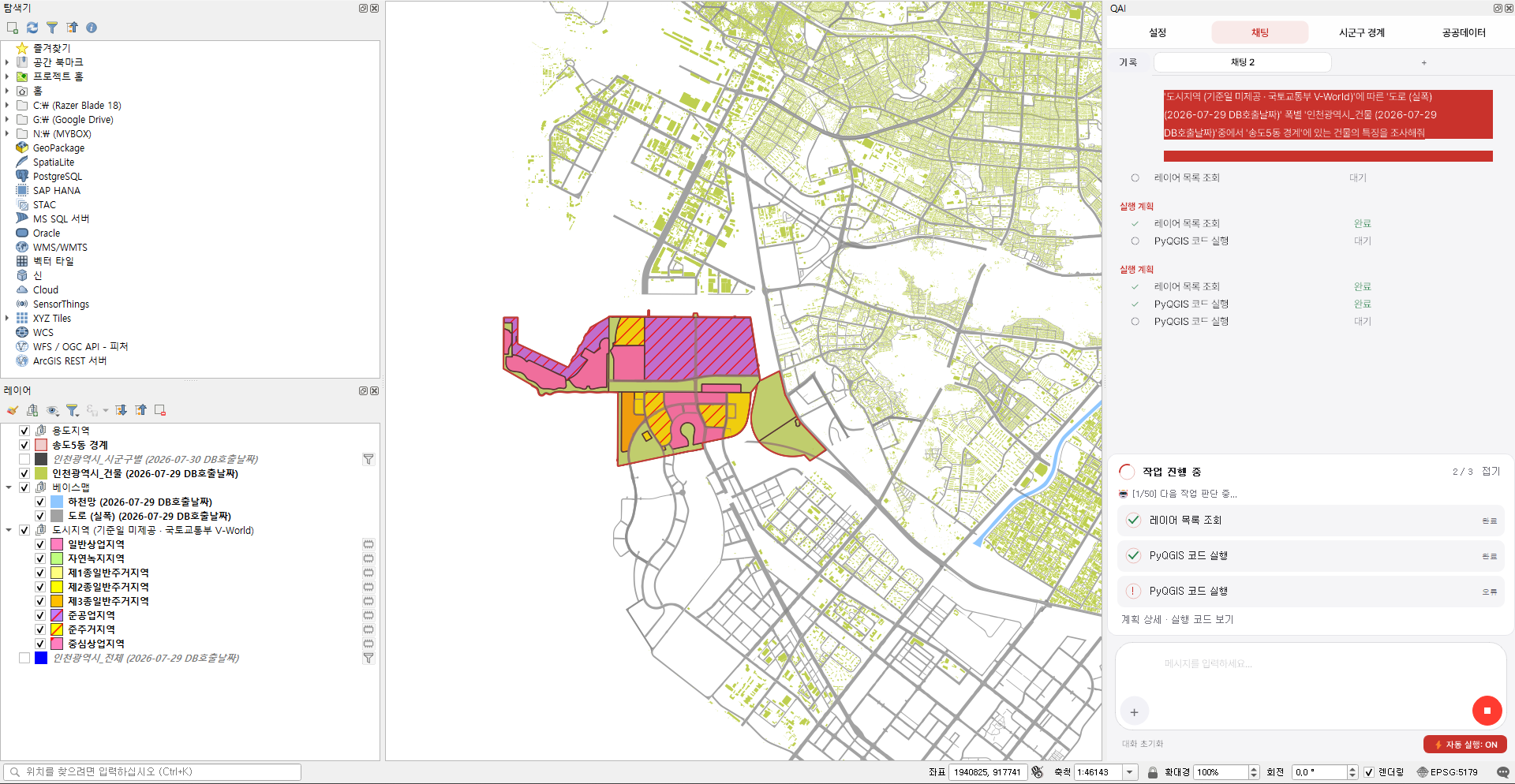
Describe the task in plain language. QAI prepares a plan using your current layers and QGIS tools, then runs it after you review and approve it.
GPL plugin · AGORA participation and Google account required · Bring your own AI key
Capabilities
A QGIS dock panel for planning, running, and reusing GIS workflows—not a separate web chatbot.
Manage layers, run spatial analysis, style results, export data, and build layouts through QGIS tools and PyQGIS.
Inspect the proposed steps and parameters, then approve, hold, or reject the plan before QAI changes the project.
The Skills tab connects VWorld, KOSIS, and SGIS for projects in Korea. Core chat, analysis, and styling work without it.
Record actions in a visible browser to repeat download procedures. Credentials are stored locally and excluded from shared templates; a template with entered values removed is shared only after separate, explicit opt-in.
Successful code and corrections are stored locally and retrieved to help with similar requests.
Explore shared experience in AGORAConnect your own AI API key. Keys are stored locally and used for direct calls from your device to the selected provider; prompts and required tool results may be sent there. Under the AGORA participation agreement, eligible successful PyQGIS code is submitted for review and may be reused. Optional diagnostics start enabled on a new profile’s first AGORA participation; you can turn them off anytime, and existing choices are preserved.
A controlled workflow
QAI turns a request into a visible execution plan instead of silently treating one sentence as permission to change the project.
Refer to current layers by name and explain the analysis, styling, or export you want.
Check the selected QGIS tools, inputs, parameters, and expected outputs before anything runs.
After approval, QAI runs inside QGIS and verifies the resulting layer state for supported operations.
Plans can be approved, held, or rejected. Complex PyQGIS work can temporarily make QGIS appear busy while it runs on the main thread.
AGORA
Four facets around an open, shared square.
A shared space for GIS experience
AGORA is a shared space where QAI users contribute and reuse validated code and procedures. Find experience from similar GIS tasks and put it to work again.
Get started with AGORAEligible successful PyQGIS code is submitted for review under the participation agreement.
Contributions go through review before being made available for shared reuse.
QAI can retrieve reviewed contributions to help with similar requests.
Browser procedures require separate sharing consent and review. Credentials and actual entered values are excluded from shared templates.
Installation
QAI is distributed through a custom QGIS plug-in repository. Add the repository once, then update through the QGIS Plug-in Manager.
Custom repository URL
https://qgis.ai/plugins.xml Add the URL above under QGIS Plug-in Repositories, search for “QAI” (or “QGIS AI”), and select QAI.
The current QAI desktop interface is primarily in Korean. Select “AGORA에 참여하고 시작” to accept the Terms of Use and required code-contribution license, then link a Google account to bind the participation record to that account and this device. Optional diagnostics start enabled for a new profile and can be turned off anytime; existing choices remain unchanged.
Choose a project folder, add your AI API key in settings, describe a task, and approve the proposed plan.
Start with the repository URL above. The plugin is GPL-licensed; any AI model usage charges are billed separately by your provider.